Review Comments (0) Screenshots (7) Questions & Answers (0) Votes (0) Awards (4) Wiki  
PEERNET Inc.
5.0
www.peernet.com
Shareware
$121.44  Purchase
22 people
Download Convert to PDF

Downloaded 655 times

It is possible that the download link provided above does not refer to the intended version. If you are looking for Convert to PDF, you may try searching for a download link using Google.

 
Video tutorial for Convert to PDF 5.0
Frame

Review

This is official description applies to version 2.0

PEERNET's Convert to PDF is a feature rich solution for creating high-quality Adobe® PDF documents from any Windows program by simply printing your document to this virtual PDF printer.

t's just that easy!

Convert to PDF is a solution for creating high-quality searchable PDF documents that are 100% Adobe compatible. Designed to work with any Windows program that can print, it gives you a virtually unlimited number of programs that can be used to create PDF documents. If you can print it, then Convert to PDF can create a PDF for you.

Create exactly the PDF you need!

The user-oriented interface makes customizing the PDF a breeze. Easily-accessed options for security, document information, watermarking, and others, give you total control over your PDF creation and viewing options. You can even change options and re-create the PDF over and over again without having to reprint your document.

Custom Profiles

When you need consistency in the type and style of PDF you create, use Convert to PDF's profiles to preset the setting used during the creation process. You'll be creating PDF files in seconds and they will aways use the same settings.

Simple Automation!
Use Convert to PDF built-in run command to pass the new PDF document to another program or to launch an external program, perfect for application developers looking to automate the process of converting documents to PDF files.
 
The following review written by one of the Software Informer contributors applies to version 1.0

Convert to PDF is a well-design file transformer that creates accurate PDFs from almost any application, as long as it runs in Windows and can send information to a printer. Therefore, creating a PDF is as simple as printing the desired document, though selecting the virtual PDF printer installed by this tool. The resulting PDF file will faithfully resemble the layout of the original file.

Without covering all the options and possibilities available in Adobe Acrobat, Convert to PDF allows you to extensively customize your output documents. Thus, if size is an issue, you can compress and/or downsample the images existing in the original file until you find the right balance between quality and size. If security is one of your main worries, you can apply different levels of protection to your PDFs by adding a password, 128-bit encryption, and/or by defining permissions for certain actions (copying, editing, printing, etc.). Finally, the program will let you add a watermark to your converted documents, as well as specific metadata to better document your PDFs.

Probably, one of its main assets is its wise use of user’s profiles. If you expect to use a specific combination of the settings described above more than once, you can always save them, and thus create your customized virtual PDF printer. The program allows you to create as many “printers” as you need, and all you will have to do to perform one of these “one-click conversions” is to send the original document to the right printer in the list. This feature alone makes this tool worthwhile.
  • One-click PDF creation using customized virtual printers.
  • Supports basic PDF security options.
  • Includes watermarking capabilities.
  • None.

Reviewed by: Francisco Javier Martínez Calvo

Reviewer rating:

Reviewed: 2 years ago

What's new in version 2.0

Fixed:
- Corrected a colour inversion issue with some fill styles
- Resolved issue where some Visio files were failing to convert to PDF format causing application to terminate
- Simulated bold and/or italic fonts now displayed bold and/or italic in generated PDF document
- Resolved text reversal for rotated text in Microsoft Publisher documents when converted to PDF document.

What's new in version 1.0

Support added for:
Windows 7
Windows Server 2008 R2
Windows Server 2008 (including SP1 & SP2)
Windows Vista (SP1 & SP2)
Windows XP (SP3)
Internet Explorer 8
Report a wrong version Report a wrong program title Suggest a correction

Screenshots

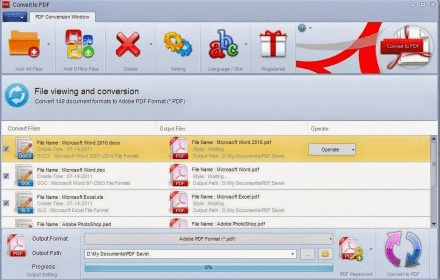
Main window Main window Main window Main window Main Interface Main Interface Image Compression Options Image Compression Options
All 7 screenshots

Latest comments


There are no comments, be the first one!
Add new comment

E-mail Address:

Password:

Register now »

Forgot password?

Sign in with:
Download Software Informer Client
Copyright © 2012, Informer Technologies, Inc. About| Privacy and terms| Help| Feedback & Support| Partners program